Difference between revisions of "User:Amosys/Draft/User Manual/Part 2 - Basic presentation"
From EncyclopAtys
(Created page with "{{stub}} thumb|center Starting Out") |
|||
| Line 5: | Line 5: | ||
[[File:UIpreview first screen.png|thumb|center]] | [[File:UIpreview first screen.png|thumb|center]] | ||
| + | |||
| + | The main toolbars: | ||
| + | * Task bar (quit, communication...) | ||
| + | * WebApp bar | ||
| + | * Hands | ||
| + | |||
| + | The Task and WebApp toolbars have now both a [[File:Task-bar_Window_tool_2019-06-07.png|new 4 themes]], we can now choose [https://fr.wiki.ryzom.com/wiki/Fichier:Task-bar_Window_tool_2019-06-07.png 4 dispositions]. | ||
| + | |||
| + | <gallery> | ||
| + | Task-bar Hori small 2019-06-07.png|'''Task''' bar (4 themes, that's the smaller one) | ||
| + | EN Communication menu 2019-06-14.png|Communication menu (from Task bar) | ||
| + | </gallery> | ||
[[Starting Out]] | [[Starting Out]] | ||
Revision as of 21:37, 14 June 2019

|
This page is a stub, help us to improve it by expanding this article according to Ryzom Wiki's formatting standards |

The main toolbars:
- Task bar (quit, communication...)
- WebApp bar
- Hands
The Task and WebApp toolbars have now both a  , we can now choose 4 dispositions.

Task bar (4 themes, that's the smaller one)
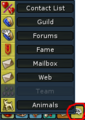
Communication menu (from Task bar)